Skip to Content
Skip to content

THE E1NS APP / YOUR CAMPER. YOUR IDEAS.

Your camper.
Your overview.

Take a quick look. Set your lights. Create your own rule. Then get back outdoors.

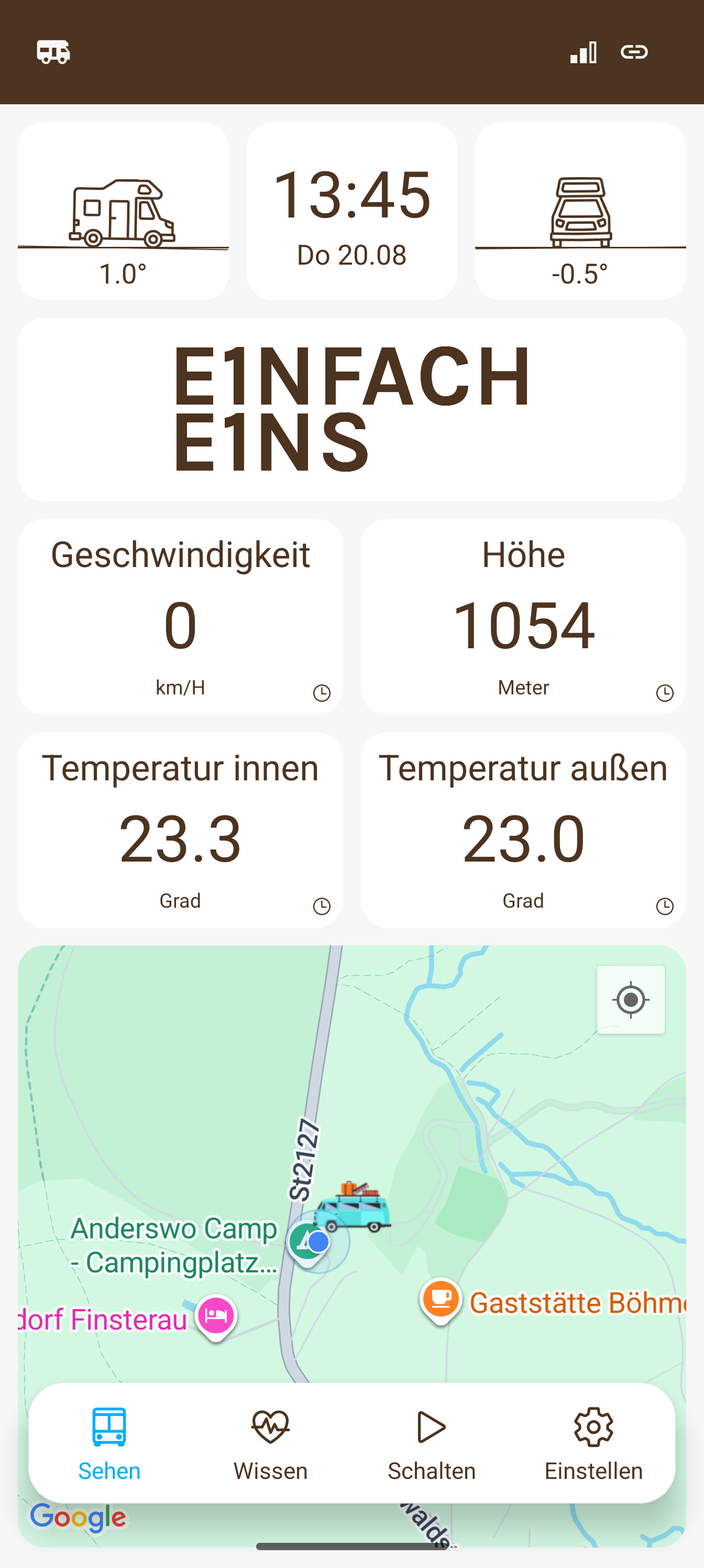
Current original E1NS app screen in German: tilt, indoor and outdoor temperatures, and location on the map
Your camper at a glance. · Original E1NS app screen in German.

YOUR TIME IS YOURS.

Everything at a glance.
And your mind at ease.

The app connects you to your E1NS box. See what's happening in your camper, control compatible devices and decide which tasks E1NS takes care of for you.

01 / TAKE A QUICK LOOK

What's happening
in your camper
right now?

Is the battery charging? How much power are your devices using? How warm is it inside? The app brings together the readings from your installation.

Readings and features in detail
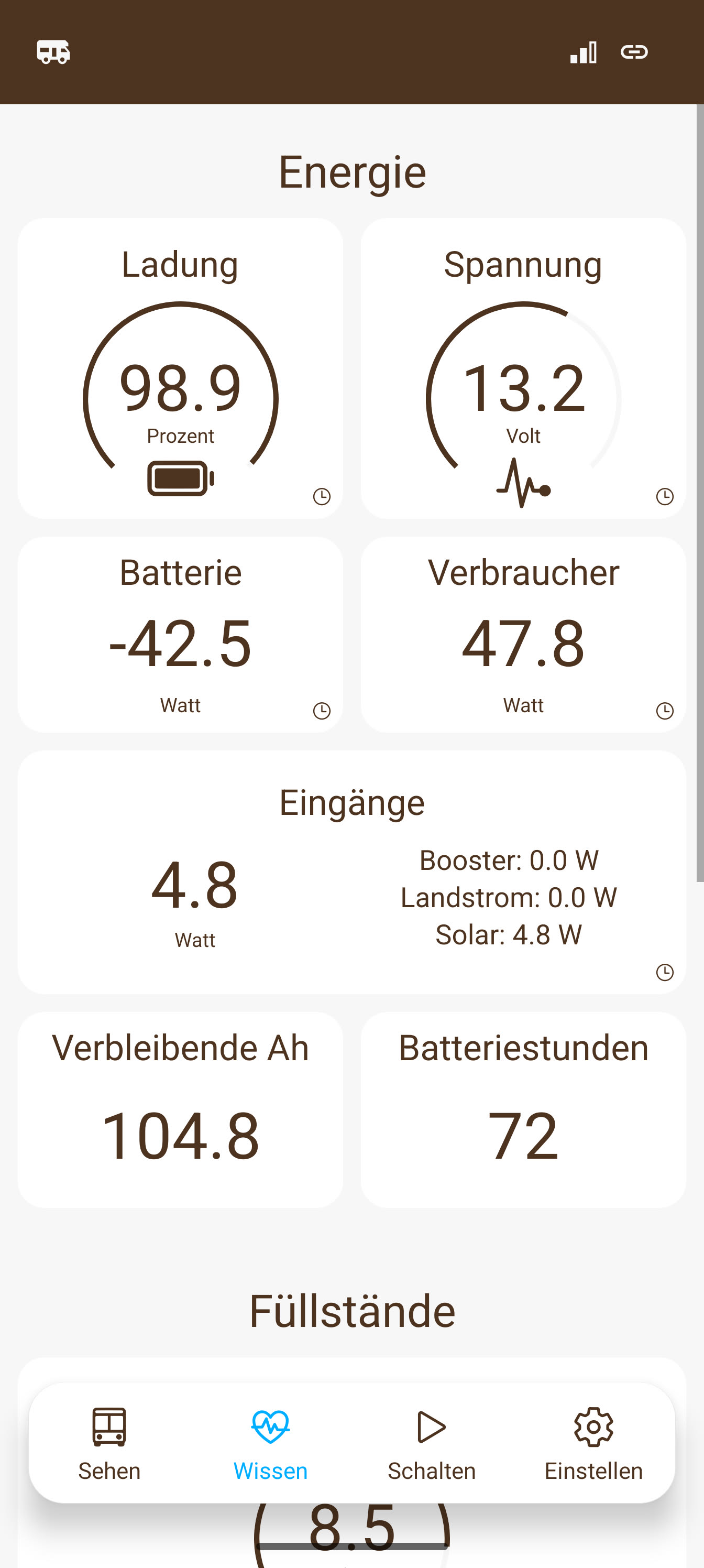
Current original energy screen in German: 98.9 percent battery charge, 13.2 volts and an overview of inputs and outputs
See battery, consumption and charging together. · Original app screen in German.
Battery & energy
Understand charge level, current and voltage for your battery and configuration.
Devices & lighting
See what's on and control compatible devices directly.
Temperatures & sensors
Keep track of your connected sensors. Additional readings depend on your build.
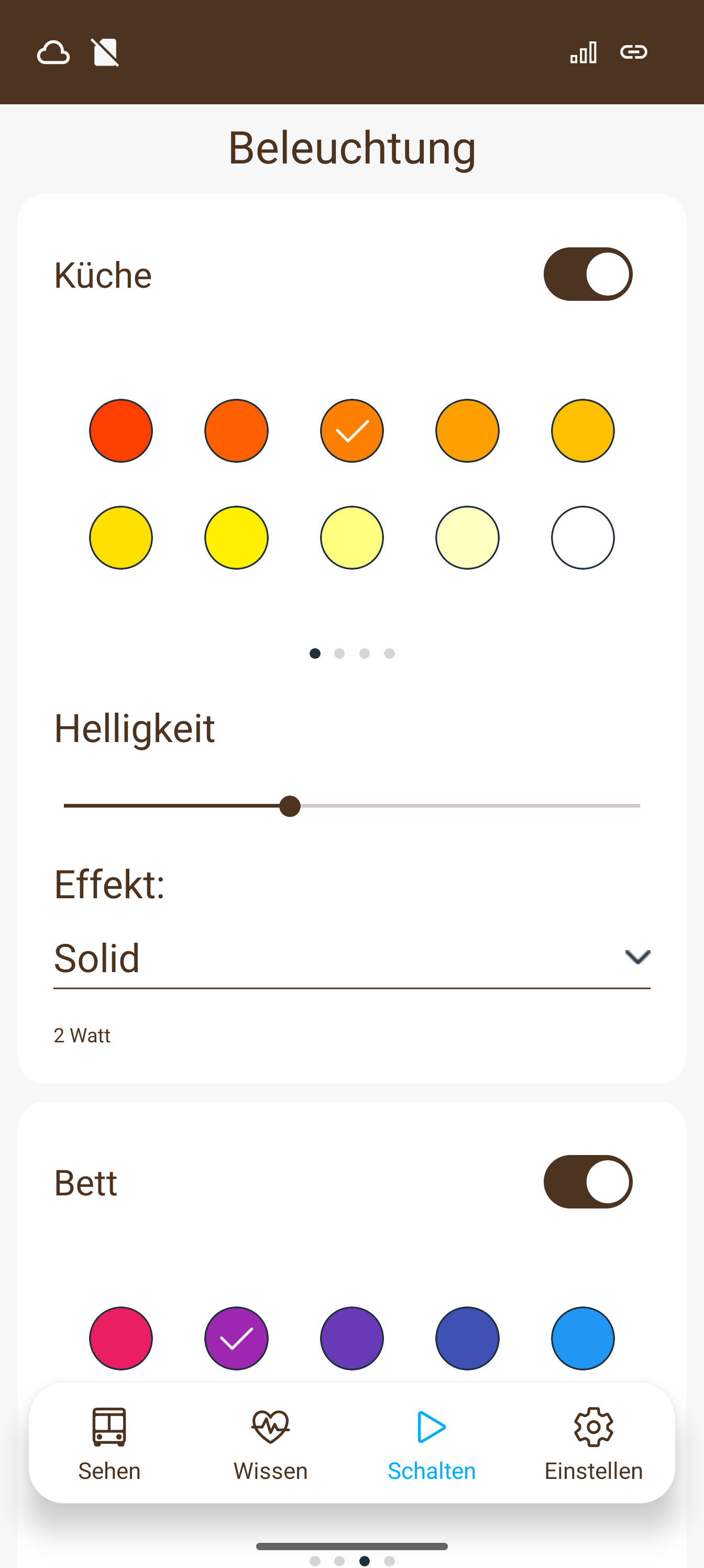
Current original app screen in German: kitchen and bed lighting switched on, with colour selection, brightness and lighting effect
Your colour. Your brightness. · Original app screen in German.
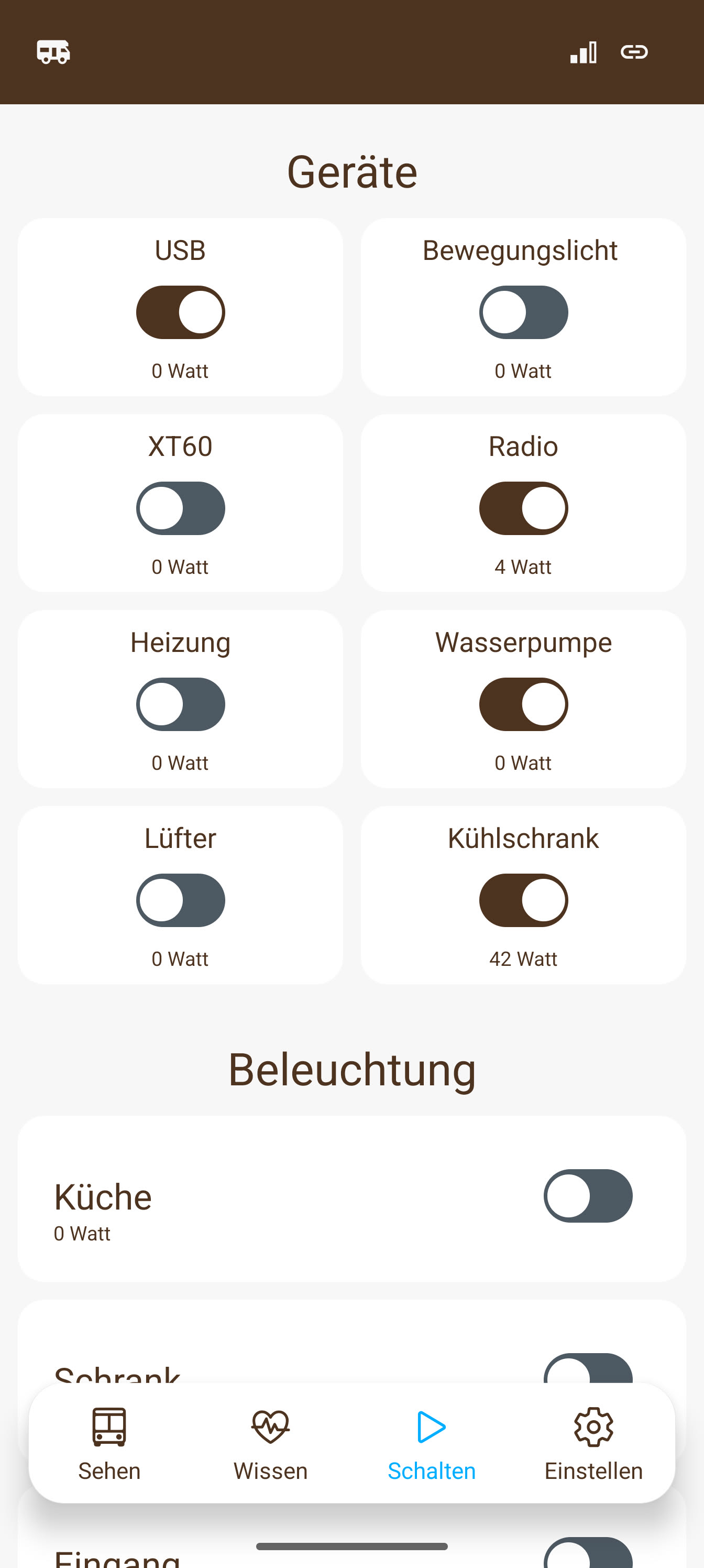
Current original switching screen in German: devices with switch states and watt readings, followed by lighting
Your devices. Your lighting. · Original app screen in German.

02 / MAKE IT YOURS

Your lighting.
Your favourite moment.

Radio on. Water pump ready. Lights just how you like them. Switch compatible devices directly in the app – and see how much power they use.

Bright for reading. Warm for winding down. With compatible lighting properly set up, adjust your lights to suit the moment. Set up circadian lighting for your supported lights – then let them follow the rhythm of the day.

Experience the changing light

Requires suitable components, connections and setup. More about lighting control.

03 / YOUR IDEA BECOMES A ROUTINE

Set it up
your way.
Then let it happen.

You decide when it starts, what conditions need to match and what E1NS should do. Three simple steps turn your idea into a rule.

01 / TRIGGER

When does it start?

A time, sunset or a reading from your camper: choose what starts your rule. With multiple triggers, any one is enough.

For example: The sun sets.
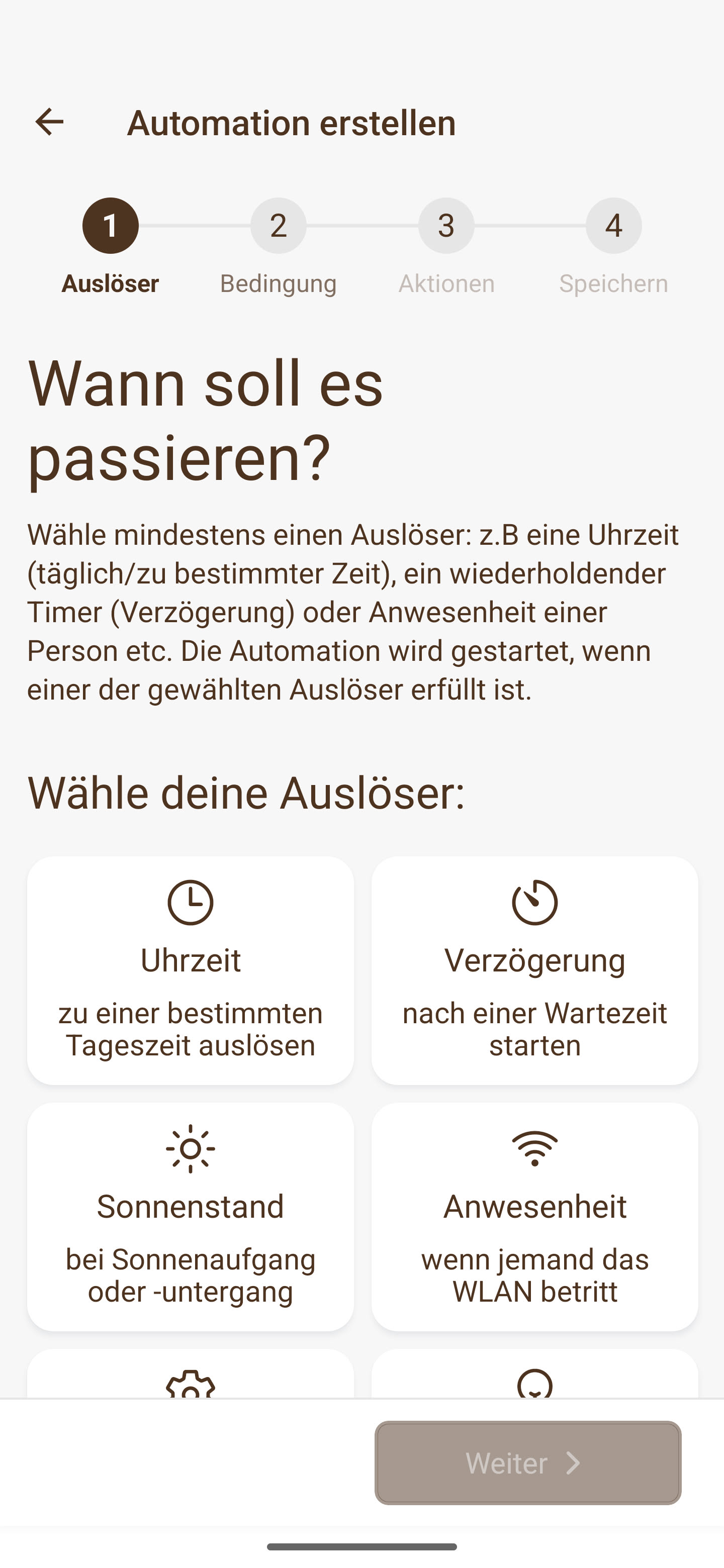
Current original app screen in German: selecting an automation trigger, such as time, delay, sun position or presence
Choose a trigger. · Original app screen in German.

02 / CONDITION · OPTIONAL

Only when it fits.

Should your rule run only in certain situations? Add a condition, or skip this step. If you choose multiple conditions, all must be met.

For example: Only when your phone is connected to the camper's Wi-Fi.
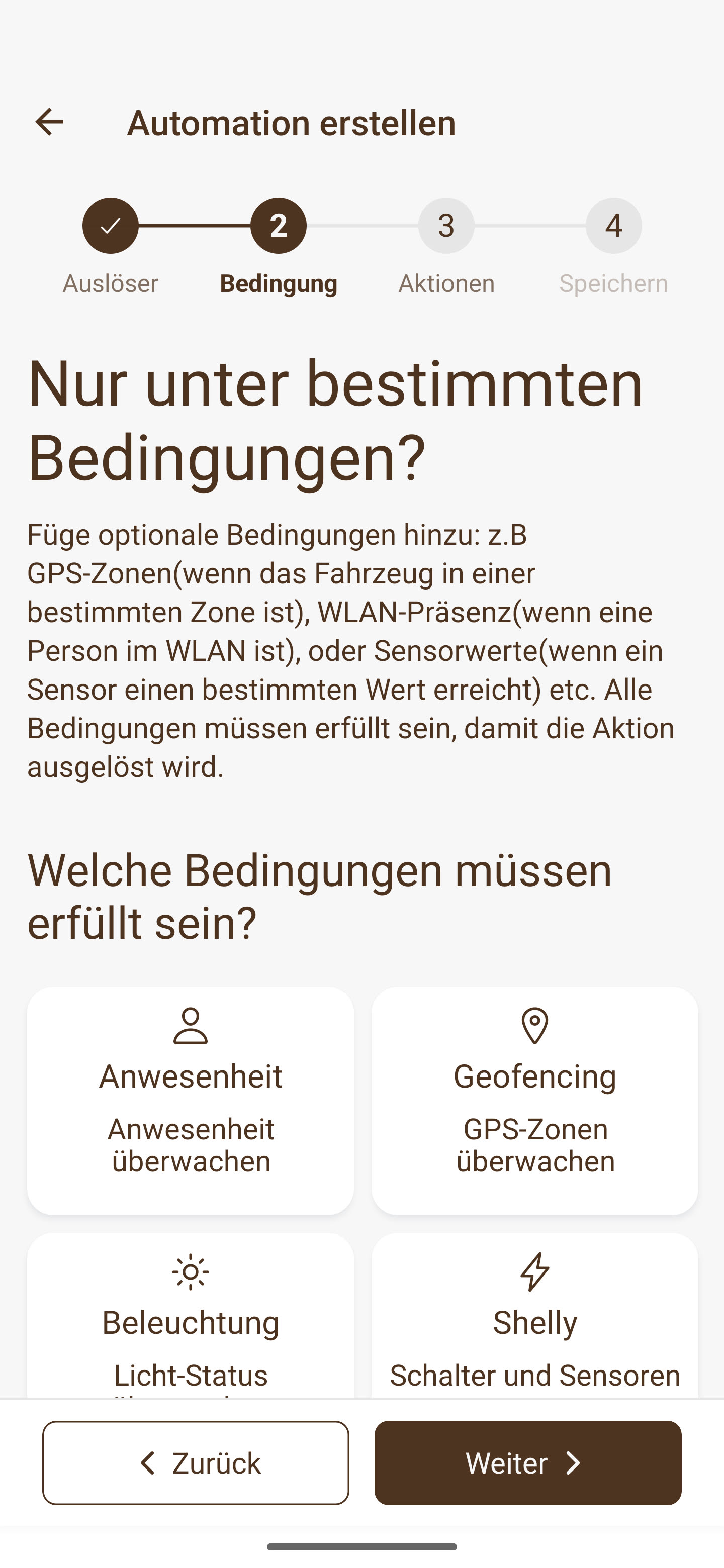
Current original app screen in German: selecting optional automation conditions such as presence, geofencing or device status
Add conditions if you like. · Original app screen in German.

03 / ACTION

What should happen?

Turn on a light, switch a compatible device or send you a notification: decide what E1NS does next. You can also add delays between actions.

For example: Your correctly connected light turns on.
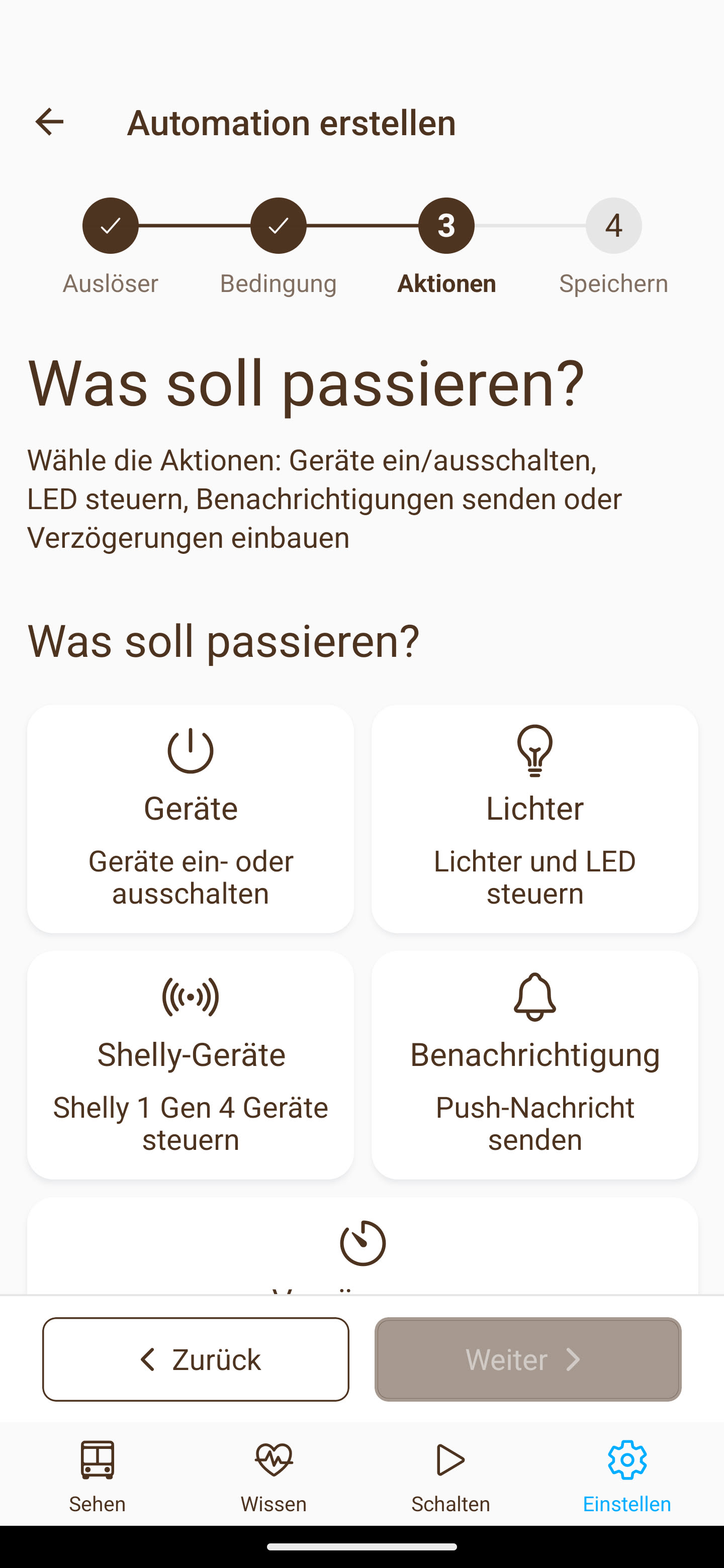
Current original app screen in German: switching devices, controlling lights, switching supported Shelly devices, sending notifications or adding a delay
Set your actions. · Original app screen in German.

YOUR IDEAS HAVE PLENTY OF POSSIBILITIES.

What could your camper
take care of for you?

Combine what suits your day. From a simple lighting rule to a sequence of actions.

What starts your rule?

You can use these triggers:

  • A specific time
  • A waiting period / delay
  • Sunrise or sunset
  • Presence on the Wi-Fi network
  • A system event
  • A temperature
  • A tank level
  • A device's power consumption
  • A device's state
  • Battery readings
  • Charging power
  • GPS readings such as position, altitude or speed
  • Entering or leaving a geofenced area

What conditions need to match?

Conditions are optional. You can check:

  • Presence on the Wi-Fi network
  • Presence within a geofenced area
  • A temperature
  • A tank level
  • A device's power consumption
  • A device's state
  • Battery readings
  • Charging power
  • GPS readings such as position, altitude or speed

What does E1NS do for you?

Choose one or more actions:

  • Switch compatible devices on or off
  • Control lights and LEDs
  • Switch supported Shelly devices
  • Send a push notification
  • Add a delay between actions

The available options depend on your connected devices, sensors and their setup. Push notifications require a suitable internet connection. View features and compatible components.

SET UP WELL. CHECK LESS OFTEN.

The app can stay
in your pocket, too.

Your configured local automations keep running on E1NS. Properly set up switches remain part of your camper. Open the app when you want to check, change or try something new.

At your camper.

Local control and local automations don't need a constant internet connection.

On the go, too.

Remote access and internet-dependent services require a suitable connection and setup. Plan your SIM card, data plan and reception separately.

YOUR NEXT STEP

Get the app.
Set up your camper.

The app is your way into E1NS. To control devices, you need a connected E1NS box and the appropriate setup.